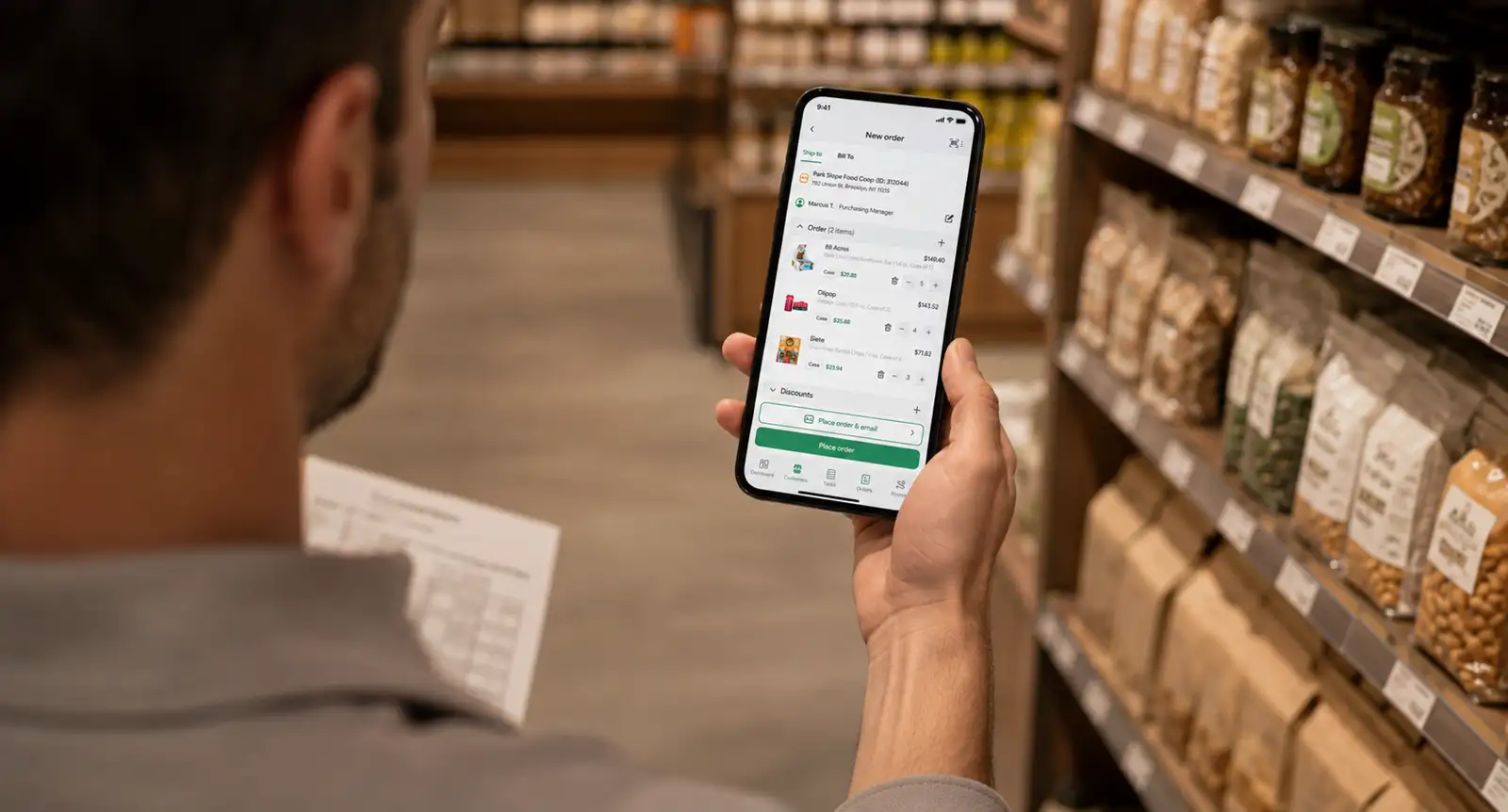
Point of Purchase (POP) vs Point of Sale (POS): What’s the Difference?

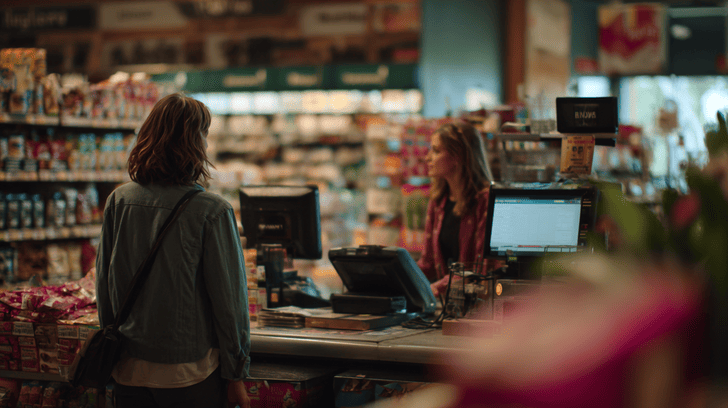
POP and POS sound almost the same, so it’s easy to mix them up. But they do different jobs.
POP is where shoppers notice and consider a product. POS is where the purchase happens, like the checkout or payment point. Shopify notes that POP displays can influence what customers decide to buy, while POS areas often capture last-minute impulse purchases.
Understanding point of purchase vs point of sale helps you plan better displays, promotions, and store experiences.
In this guide, you’ll get a clear, simple breakdown of POP vs POS marketing so you can see where each one fits and how to use both smarter.
What is point of purchase (POP)?
Point of purchase (POP) is any place where a brand tries to influence shoppers before they complete a purchase. Its purpose is to grab attention, highlight products, and encourage people to buy while they’re still making decisions.
POP happens during the consideration stage of the customer journey, before checkout or payment.
In physical retail stores, POP can include shelf displays, end-cap promotions, product samples, aisle signage, or branded stands placed in high-traffic areas. These elements help products stand out and attract attention quickly.
In online shopping, POP often appears through:
- Homepage banners.
- Limited-time offers.
- Recommended products.
- Pop-ups.
- “Customers also bought” suggestions.
These placements guide shoppers toward products while they browse and compare options.
The main focus of POP is influence and persuasion. It shapes buying decisions before the transaction happens. That’s why understanding point of sale vs point of purchase matters in retail and marketing.
What is point of sale (POS)?
Point of sale (POS) is the place where a customer completes a purchase and makes payment. It’s the final step in the buying process, where browsing officially turns into a sale.
In physical stores, POS usually includes checkout counters, cash registers, barcode scanners, self-checkout kiosks, or card readers. These systems help stores process payments quickly and keep transactions organized.
In ecommerce, POS works through:
- Online checkout pages.
- Shopping carts.
- Payment gateways.
- Digital wallets.
Once the customer confirms payment, the purchase is complete.
Unlike product displays or promotions, POS focuses on transactions and payment processing. Its main goal is to make checkout simple, fast, and accurate for customers.
This supports the kind of smooth, convenient retail experience McKinsey describes as increasingly important in modern retail.
Understanding point of purchase vs point of sale helps you see how different parts of retail work together. In simple terms, POP vs POS means influencing shoppers before checkout versus completing the payment at the end.
What is the main difference between POP and POS?
The main difference between POP and POS comes down to function, timing, and customer behavior. While both are closely connected to sales, they serve different purposes during the shopping experience.
POP focuses on influence and persuasion. Its goal is to attract attention, highlight products, and encourage shoppers to make buying decisions before checkout by following effective retail merchandising rules.
POS, on the other hand, focuses on transactions and operations. It’s responsible for processing payments, recording sales, and completing the purchase quickly.
The timing is different too. POP appears earlier in the customer journey, while customers are browsing, comparing products, or making decisions. POS happens at the final stage, once the shopper is ready to pay and complete the transaction.
Here’s a simple comparison that makes the difference easier to understand:
| Aspect | POP | POS |
|---|---|---|
| Main purpose | Influence buying decisions | Complete transactions |
| Focus | Marketing and persuasion | Payment and operations |
| Customer journey stage | Before purchase | During checkout |
| Common examples | Shelf displays, banners, product samples | Cash registers, checkout pages |
| Goal | Encourage purchases | Process payments quickly |
The two are often confused because they both appear close to the purchase moment and directly affect sales. In many stores, POP materials are placed near POS systems.
For example, candy displayed beside a checkout counter acts as POP because it encourages impulse purchases, while the register itself functions as POS because it handles payment.
Understanding POP vs POS helps you improve both marketing strategy and customer experience. One influences shoppers before they buy, while the other makes the purchase process smooth and convenient.
Where do POP and POS overlap?
POP and POS often overlap near the final stage of the shopping journey. Even though they have different roles, they frequently work together in the same space to encourage extra purchases and increase revenue.
A common example is the checkout area in physical stores. Small products like candy, drinks, batteries, or phone accessories are often displayed beside the register.
These displays act as POP because they influence last-minute buying decisions, while the checkout counter itself functions as POS because it processes payment. Together, they create a strong impulse purchase zone right before checkout.
💡 Pro Tip
Keep checkout displays small and focused. Too many products near checkout can overwhelm shoppers instead of encouraging impulse purchases.
The same overlap happens in ecommerce. During digital checkout, shoppers often see recommended products, add-on offers, free shipping prompts, or one-click upsells before payment is completed.
These features encourage customers to spend more while they’re already ready to buy, making checkout an important sales opportunity instead of just a payment step.
This is why point of purchase vs point of sale can feel confusing in real retail environments.
Understanding POP vs POS marketing helps you see how both work together to increase sales, encourage impulse purchases, and improve the customer experience.
How does POP drive sales?
POP drives sales by influencing shoppers while they browse and make decisions. Instead of waiting until checkout, it helps brands capture attention earlier and guide customers toward a purchase.
Strong POP strategies supported by effective merchandising software help products become more visible and appealing during key decision-making moments.
Here’s what makes POP so effective:
- Visual merchandising → Bright displays, clean layouts, and eye-level placement help products stand out and attract attention faster.
- Strategic product placement → Products placed near entrances, busy aisles, or checkout areas naturally get more visibility and engagement.
- Promotional signage → Messages like “Best Seller” or “Limited Offer” encourage quicker buying decisions and make products feel more appealing.
- Limited-time offers → Urgency pushes shoppers to act before the deal disappears, increasing impulse purchases.
- Emotional triggers and buying psychology → Many people make fast decisions based on excitement, convenience, curiosity, or fear of missing out.
When these elements work together, POP becomes a powerful sales tool that influences buying behavior naturally and increases revenue without disrupting the shopping experience.
This is one of the biggest differences in POS vs POP strategies. POP focuses on influencing buying decisions before payment happens, while POS focuses on processing the transaction itself.
Understanding point of sale vs point of purchase helps you create shopping experiences that attract attention, encourage action, and increase overall sales.
How does POS support business operations?
POS supports business operations by helping stores manage transactions, track performance, and organize daily retail processes more efficiently.
Modern POS systems do much more than simply process payments at checkout. They help businesses save time, reduce manual work, and improve the overall customer experience.
Several key functions make POS systems essential for retail operations:
- Payment processing → POS systems handle card payments, digital wallets, cash transactions, and online checkouts quickly and securely, making purchases smoother for customers.
- Inventory updates → Every completed sale automatically updates inventory levels in real time, helping businesses avoid stock shortages and improve product management.
- Sales tracking and reporting → POS software records transaction data and creates reports that help businesses track revenue, bestselling products, customer trends, and store performance.
- Customer data collection → Many POS systems store customer information, purchase history, and shopping behavior to support personalized marketing and better customer service.
- Loyalty program integration → POS platforms often connect with rewards programs, allowing customers to collect points, use discounts, and receive special offers more easily.
Together, these features help businesses operate more smoothly while improving efficiency across sales, inventory, and customer management.
Staff can process transactions faster, managers get clearer insights into store performance, and customers benefit from quicker, more convenient checkout experiences.
This is one of the biggest differences in POP vs POS strategies. POP focuses on influencing buying decisions, while POS supports the operational side of retail by managing payments, sales data, and business processes.
What technology powers modern POS systems?
Modern POS systems use technology to make checkout faster, simplify operations, and improve the customer experience. Instead of working as basic cash registers, today’s systems connect payments, inventory, sales data, and ecommerce tools in one place.
Cloud-based POS platforms allow businesses to manage sales, inventory, and reports from anywhere with internet access. Mobile POS devices also improve flexibility by letting staff process payments directly on the sales floor through tablets or smartphones.
💡 Pro Tip
Mobile POS systems work especially well during busy hours because shorter checkout lines improve the overall customer experience.
Integrated inventory systems automatically update stock levels after every sale, helping businesses reduce manual work and avoid inventory mistakes.
At the same time, analytics dashboards provide real-time insights into sales performance, customer trends, and product demand.
Modern POS technology also supports contactless payment solutions like tap-to-pay cards and digital wallets, making checkout faster and more convenient.
Ecommerce integrations connect online and physical stores, helping businesses keep inventory, orders, and customer data synchronized across every stage of retail execution.
What are examples of POP materials and tools?
POP materials and tools are designed to attract attention, improve product visibility, and encourage shoppers to buy while they browse.
You’ll usually find them placed in high-traffic areas where customers naturally stop, compare products, or make quick decisions.
Some of the most common POP materials include:
- Display stands → Highlight products in a visible and organized way near entrances or promotional areas.
- End caps → Displays placed at the end of store aisles to attract attention and increase impulse purchases.
- Floor decals → Visual stickers that guide shoppers toward promotions or featured products.
- Countertop displays → Small product setups near checkout areas that encourage last-minute purchases.
- Digital signage → Screens that show promotions, videos, or product information in real time.
- Product sampling stations → Let shoppers try products before buying, helping increase engagement and trust.
These tools help brands influence customer decisions before payment happens.
Understanding point of purchase vs point of sale makes it easier to see why POP materials focus on visibility and persuasion, while POP vs POS highlights the difference between influencing shoppers and processing transactions.
How can businesses align POP and POS strategies?
Businesses get better results when POP and POS strategies work together instead of separately.
When marketing and checkout systems are aligned, it becomes easier to guide shoppers from product discovery to final purchase without friction.
Here are a few effective ways businesses align both strategies:
- Coordinate promotions with checkout prompts → A store display can highlight a discounted product while the checkout system recommends related add-ons or bundle deals. This helps increase average order value during checkout.
- Use POS data to improve POP displays → Sales reports help businesses understand which products perform best and which promotions drive impulse purchases.
- Track impulse purchases → Monitoring last-minute purchases helps businesses identify which POP materials influence buying decisions near checkout.
- Design seamless checkout experiences → Fast payment systems and simple upselling prompts help customers complete purchases more comfortably and efficiently.
- Integrate online and offline tactics → Many businesses align promotions across ecommerce and physical stores to keep messaging and pricing consistent.
Tools like SimplyDepo support consumer goods retail execution by connecting field sales, order management, and sales tracking in one system. This makes it easier to align in-store promotions with actual orders and performance data.
Understanding POP vs POS helps businesses create stronger shopping experiences that improve engagement, sales, and operational efficiency.
What are common mistakes businesses make?
Many businesses hurt sales by making simple POP and POS mistakes that weaken the shopping experience.
One common issue is treating POP and POS as the same thing. POP influences buying decisions, while POS focuses on completing transactions. When businesses confuse these roles, their strategies become less effective.
Another mistake is overcrowding checkout areas with too many products or promotions. Instead of encouraging impulse purchases, clutter can overwhelm shoppers and slow down checkout.
Businesses also lose opportunities when they ignore data from POS systems. Sales reports help teams understand which products perform best and which promotions actually work.
💡 Pro Tip
Review POS reports weekly instead of monthly. Faster insights make it easier to adjust promotions before sales start dropping.
Poorly designed displays can create similar problems. If promotions look cluttered or difficult to notice, shoppers are less likely to engage with products. Staff training matters too. Employees who understand upselling can naturally increase order value during checkout.
Understanding the difference in POS vs POP strategies helps businesses create smoother shopping experiences and stronger retail performance.
How should companies measure success?
Companies should measure POP and POS performance using clear retail metrics instead of guessing what works.
Tracking the right data helps businesses improve promotions, product placement, and checkout experiences more effectively. It also helps teams make smarter decisions based on real customer behavior.
A few key metrics can give businesses a clearer picture of retail performance:
| Metric | What it measures | Why it matters |
|---|---|---|
| Sales lift from POP displays | Increase in sales after a display launch | Shows how effective displays are |
| Impulse purchase rates | Unplanned purchases near checkout | Measures POP influence on buying decisions |
| Average transaction value | Average spend per order | Tracks upselling and cross-selling success |
| Checkout conversion rate | Completed purchases at checkout | Measures POS efficiency |
| Promotion redemption rates | Usage of discounts or offers | Shows which promotions drive customer action |
When businesses monitor these metrics consistently, they can better understand customer behavior and improve both promotions and checkout performance.
Understanding point of purchase vs point of sale helps businesses measure results more accurately at different stages of the customer journey.
In simple terms, POP vs POS metrics show what drives attention before purchase and what improves transactions during checkout.
Choose the right strategy for every shopper touchpoint
Understanding the difference between POP and POS helps businesses create better shopping experiences and improve retail performance.
POP influences customer decisions before checkout through displays, promotions, and product placement. POS completes the transaction by processing payments, tracking sales, and supporting daily operations.
Both are important for revenue growth. Strong POP strategies increase visibility and impulse purchases, while effective POS systems make checkout faster and more convenient.
The best results happen when marketing and operations work together. Aligning promotions, checkout experiences, and sales tracking creates a smoother customer journey and stronger business performance.
Understanding POP materials vs POS also helps businesses see how promotional tools and transaction systems support different stages of the buying process.
In simple terms, POP vs POS is about influencing shoppers before purchase and completing transactions efficiently afterward.
Booking a demo with SimplyDepo is a smart way to connect promotions, field sales, and order tracking more effectively.
FAQs
Yes, absolutely. They often overlap near checkout areas where customers make final buying decisions. For example, a snack display beside the register works as POP because it encourages impulse purchases, while the checkout system itself acts as POS by processing the payment and completing the transaction.
POP usually has a stronger influence on impulse purchases. Eye-catching displays, promotional signage, and limited-time offers encourage shoppers to make fast decisions before checkout. POS still supports impulse buying through upselling prompts and add-on recommendations, especially during the final payment stage.
POP displays attract attention and guide buying decisions. Bright visuals, strategic placement, and promotional messaging make products easier to notice while shoppers browse. Many customers make emotional or convenience-based decisions quickly, so strong displays can significantly increase engagement and unplanned purchases.
Modern POS systems use cloud platforms, mobile payment devices, analytics dashboards, and integrated inventory tools. Many also support contactless payments, ecommerce integrations, and customer loyalty programs. These technologies help businesses process transactions faster while improving reporting, inventory management, and customer experiences.
Businesses get better results when marketing and checkout systems work together. Using POS data to improve displays and coordinate promotions creates a smoother shopping experience. Understanding POP materials vs POS and the broader role of POP vs POS helps businesses increase engagement and revenue more effectively.
-
 September 15, 2026
 -
 September 15, 2026
 -
 September 15, 2026